![3_Transparent_Image_footer.png]](https://novineer.com/hs-fs/hubfs/3_Transparent_Image_footer.png?height=32&name=3_Transparent_Image_footer.png)
On a clamp with 11 printed layers through the thickness, 5 to 7 elements through the thickness capture the toolpath effects. Default versus refined mesh changes Max FI and displacement by about 6%, while the refined mesh takes three to four times longer and uses about twice the memory. A coarse mesh with two elements through the thickness misses the anisotropy.
The thin-walled clamp below illustrates the effects of edge factors on the meshing outputs as well as the simulation outcomes. Inter-layer behavior is likely to matter for both the simulation and part performance, especially on thin-walled parts like the one in this example.
With 11 printed layers through the thickness, theoretically two or more elements per layer would capture the bead geometry well, but that mesh is prohibitive even on this small part. In practice, 5–7 elements through the thickness — about one tetrahedron covering every two layers — is enough to capture toolpath effects. Adding more elements through the thickness does not improve the predictions significantly.
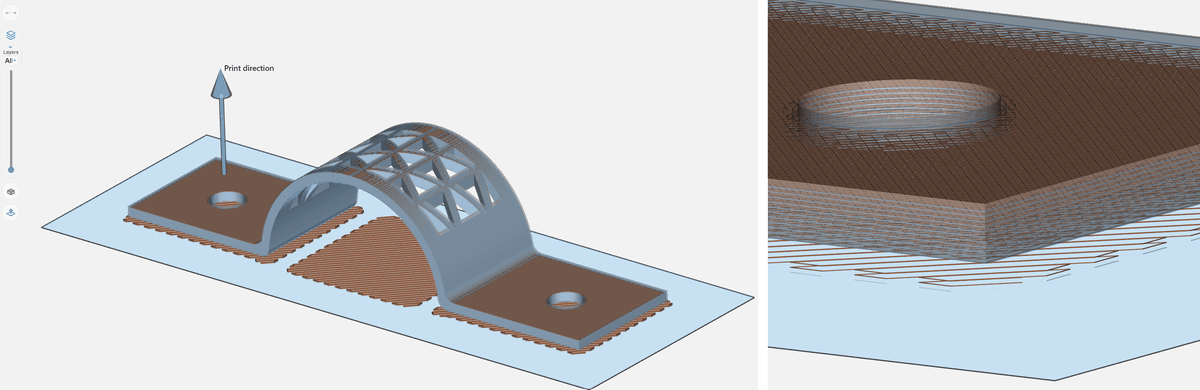
The clamp geometry and its print orientation.
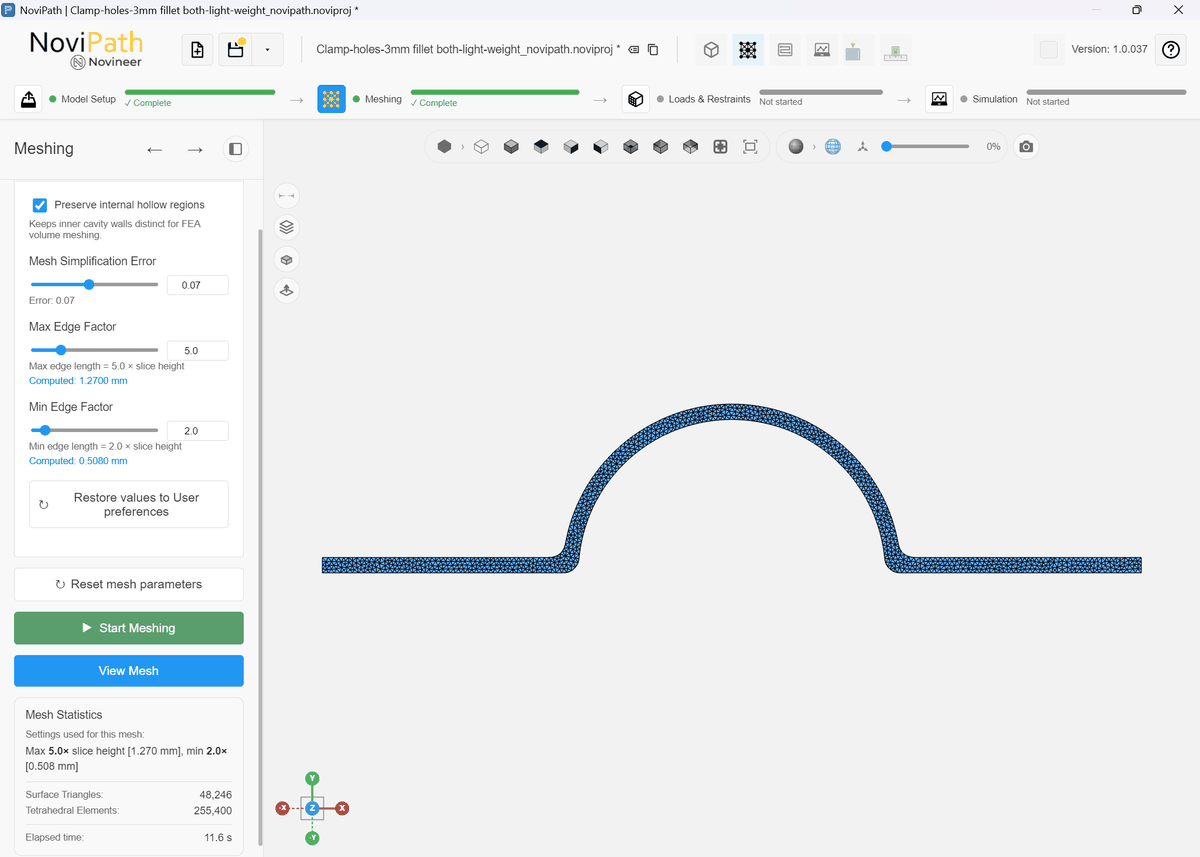
A simple clamp geometry printed with a slice height of 0.254mm requires 11 layers through the thickness. Using NoviPath’s default mesh parameters - Min Edge Factor 2 and Max Edge Factor 5 - yields about 256,000 elements and 4–5 elements through the thickness.
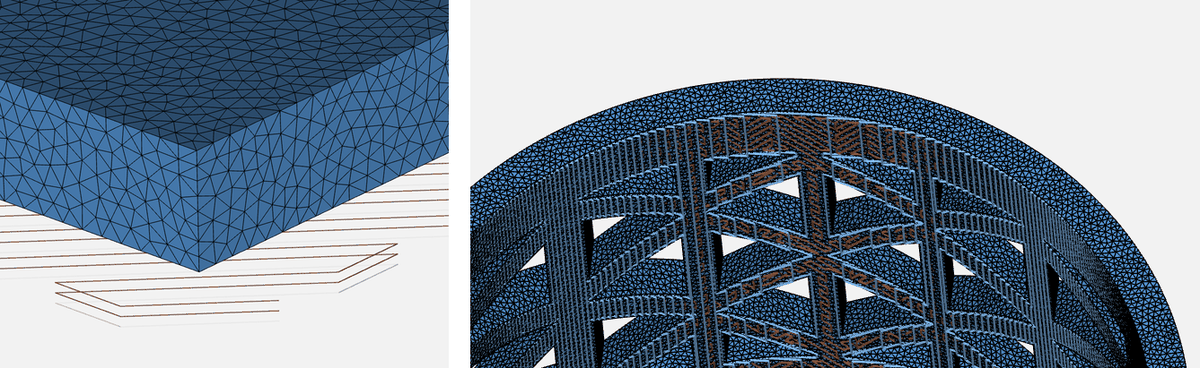
Min Edge Factor 1 and Max Edge Factor 3: about 1.2 million elements, 7 to 9 elements through the thickness.
If instead you set Min Edge Factor to 1 and Max Edge Factor to 3, the mesh grows to about 1.2 million elements (taking ~50 seconds to mesh) with 7–9 elements through the thickness covering 11 layers, or roughly 1.2-1.5 layers covered by one element.
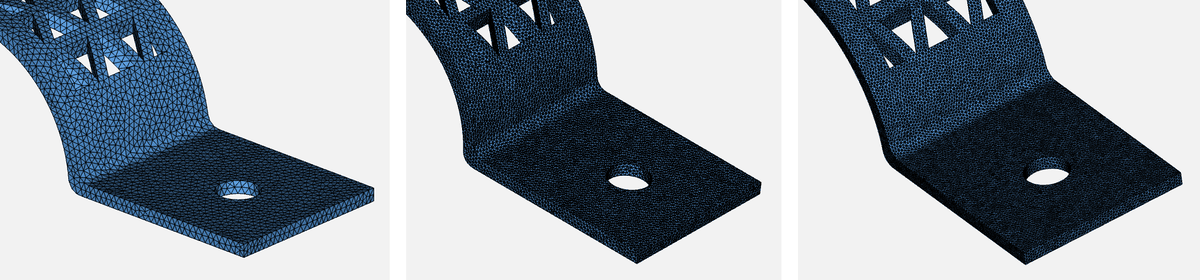
Left: coarse. Middle: medium (default). Right: refined.
On the other extreme, the coarse mesh (Min 2, Max 10) has only two elements through thickness against 11 printed layers, so it does not capture toolpaths and the resulting anisotropy well. Default versus refined changes Max FI and displacement by about 6%, while the refined mesh takes three to four times longer and uses about twice the memory.
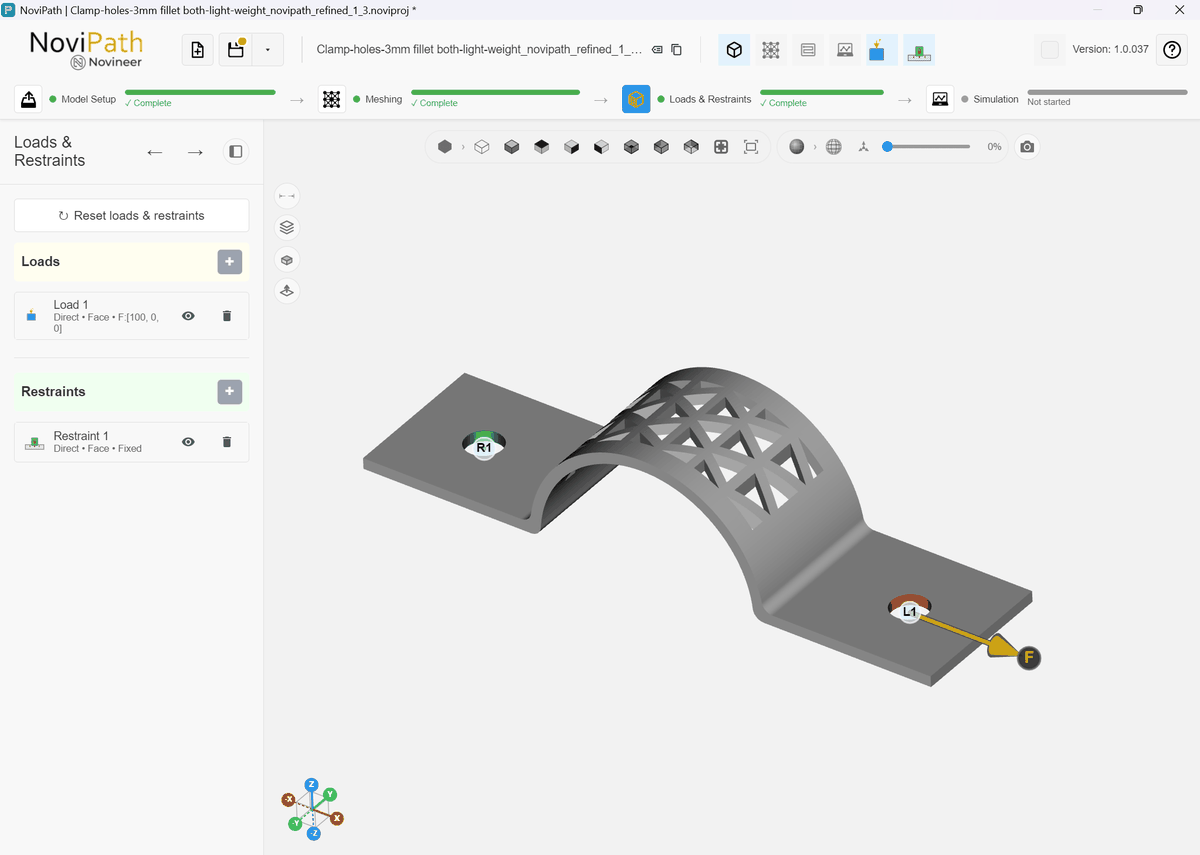
Example loading conditions for mesh refinement study.
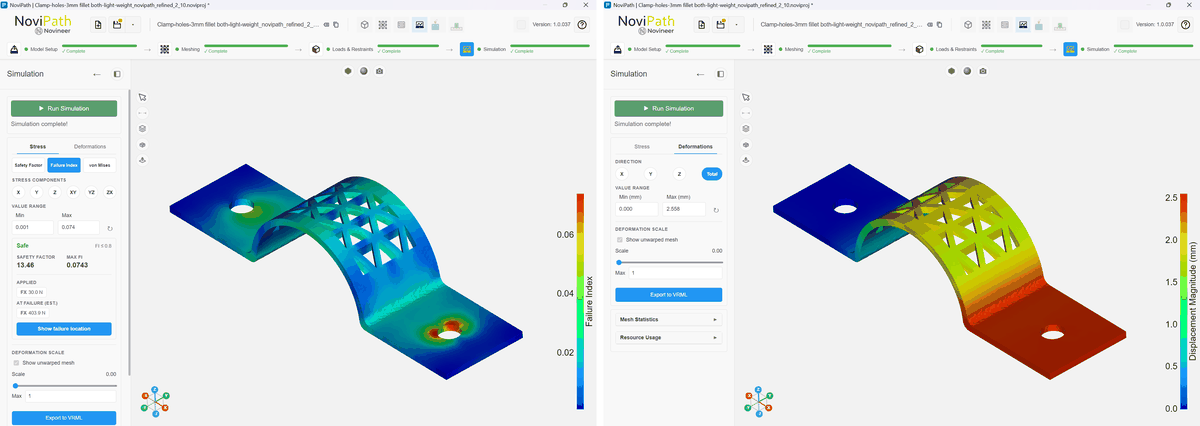
Coarse edge factors (Min: 2, Max: 10). Max FI: 0.0743 | Max displacement: 2.56 mm | Mesh size: 40,271 tetrahedral elements | Peak memory: 411 MB | Simulation time: 5.4 s.
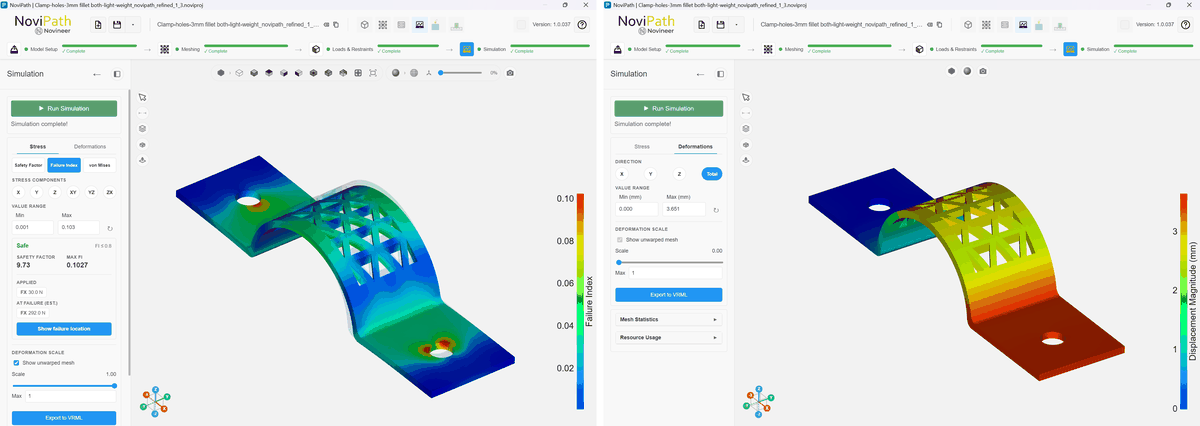
Medium edge factors (default, Min: 2, Max: 5). Max FI: 0.1027 | Max displacement: 3.651 mm | Mesh size: 256,415 tetrahedral elements | Peak memory: 2.70 GB | Simulation time: 45.8 s.
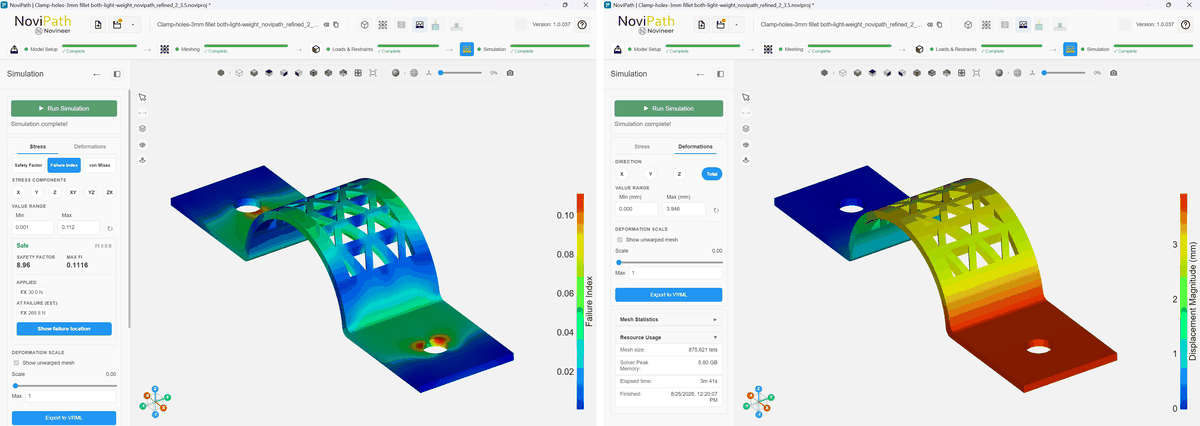
Refined edge factors (Min: 2, Max: 3.5). Max FI: 0.1099 | Max displacement: 3.872 mm | Mesh size: 875,621 tetrahedral elements | Peak memory: 5.80 GB | Simulation time: 3 min 41 s.
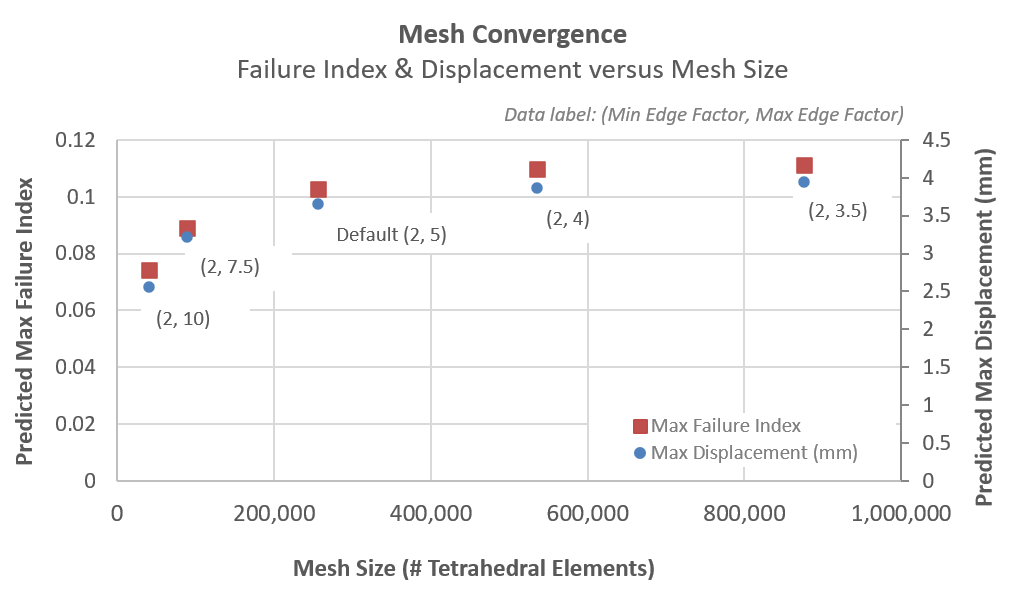
Convergence of simulation results with mesh size for the clamp part.
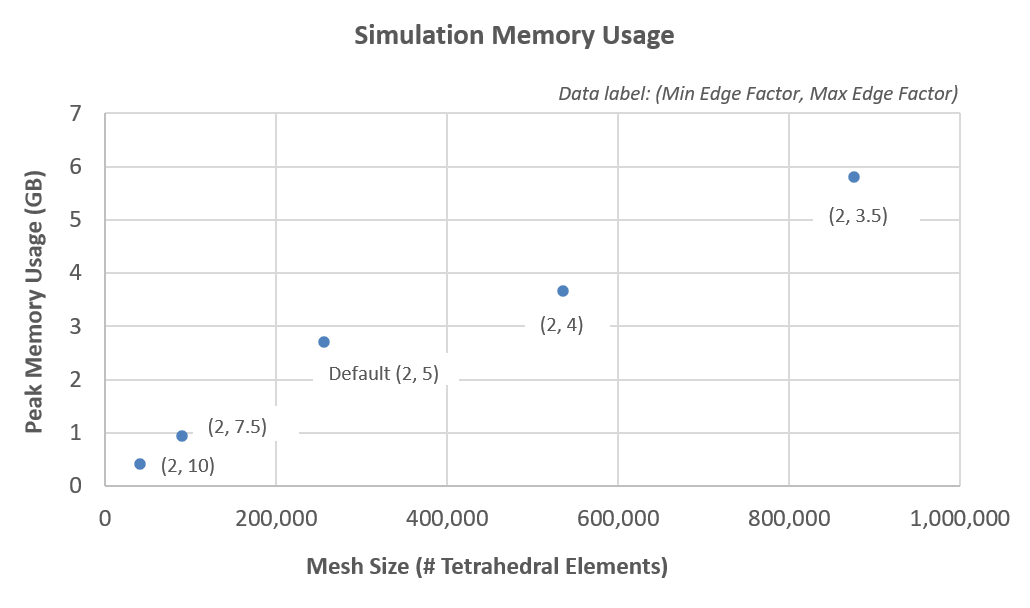
Simulation memory usage for the mesh-refinement cases for the clamp part.
Further refinement (for example 10–12 elements through the thickness) is not expected to change the results meaningfully. For this part, either the default or the slightly more refined mesh (2, 4) with ~536,000 elements are sufficient for analysis and print optimization.