![3_Transparent_Image_footer.png]](https://novineer.com/hs-fs/hubfs/3_Transparent_Image_footer.png?height=32&name=3_Transparent_Image_footer.png)
The installer is downloaded from downloads.novineer.com and signed by Novineer Inc. If IT policy blocks the download, whitelist that domain. Before running the MSI, check that it is about 5.2 MB and that its Digital Signatures tab lists Novineer Inc. Activation later needs access to license.novineer.com.
Domains NoviPath needs
- downloads.novineer.com, to download the Launcher and the plugin package. If the download is blocked by IT security policy, ask your IT team to whitelist this domain.
- license.novineer.com, once, when you activate a license. After activation the plugin runs offline.
SmartScreen and antivirus warnings
Windows Defender SmartScreen (or your antivirus) may flag the installer as an unrecognized app. Click More info and confirm the Publisher reads Novineer Inc., which comes from the digital certificate Novineer ships with all its software, then click Run anyway. If your company policy requires it, check with your IT team first.
Verify the installer before running it
After downloading, verify that NoviPath-Plugin-1.0.xxx-Launcher.msi has both of these attributes.
A. A file size of roughly 5.2 MB

The Launcher MSI is about 5.2 MB.
B. A digital signature naming Novineer as the originator
Right-click the file > Properties > Digital Signatures. Embedded Signatures should list Novineer Inc with a timestamp from the release date.
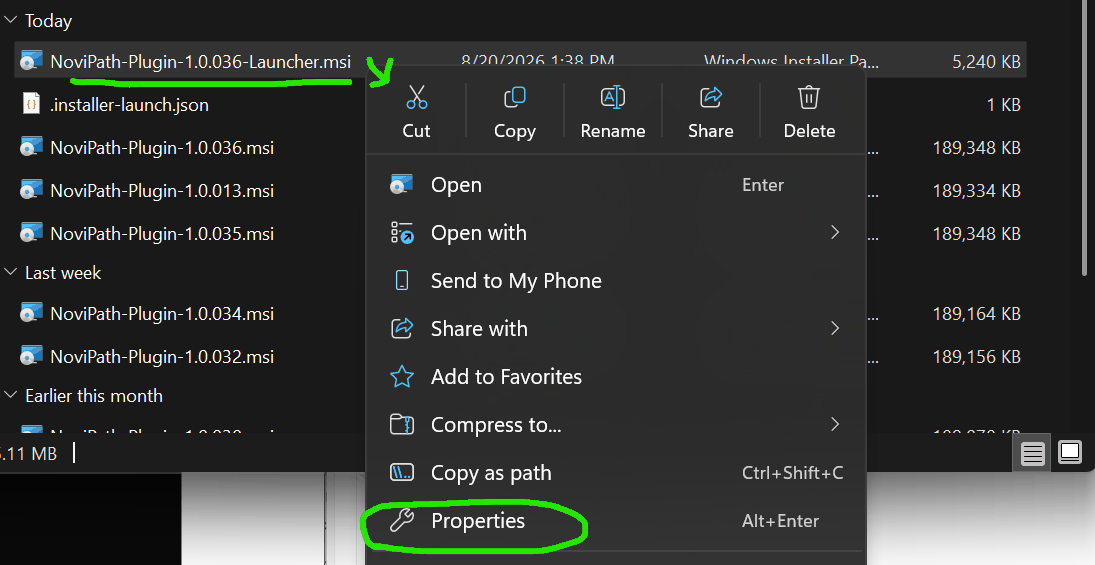
Right-click the MSI and choose Properties.
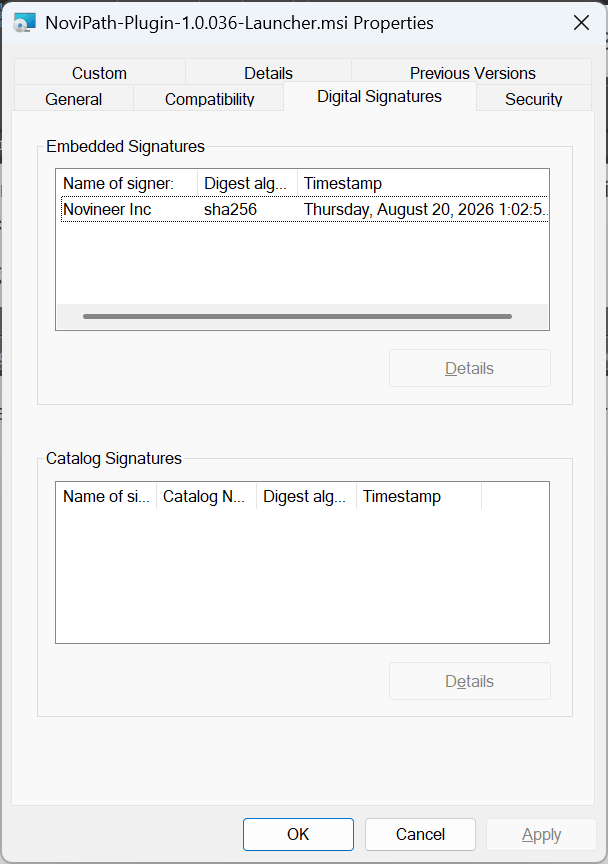
Digital Signatures tab listing Novineer Inc.