![3_Transparent_Image_footer.png]](https://novineer.com/hs-fs/hubfs/3_Transparent_Image_footer.png?height=32&name=3_Transparent_Image_footer.png)
What counts as a “complete set”
A complete set is four images of the same part, taken by rotating 90° clockwise between shots:
- Photo 1: Front (your chosen starting view)
- Photo 2: Left (rotate 90° clockwise)
- Photo 3: Back (rotate another 90°)
- Photo 4: Right (rotate another 90°)
Keep the order consistent (Front → Left → Back → Right) when you capture and upload. If the part is symmetric or looks similar from multiple sides, still take all four photos.
Taking pictures from side
Choose a front and then rotate the part 90° clockwise (or the camera 90° counterclockwise) between each of the four required shots
Example 1
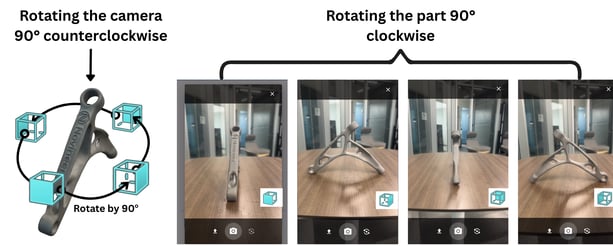
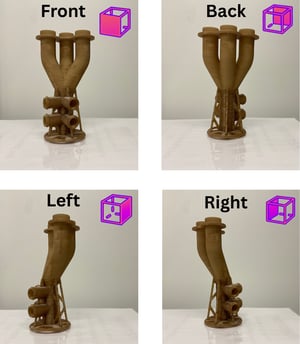 Example 2: Rotating the part 90° clockwise
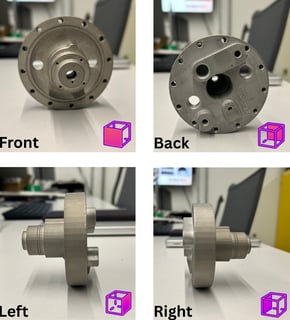
Example 3:
Rotating the part 90° clockwise
Taking pictures from a tilted view
Some parts are difficult to understand from strict front/left/back/right side views because key features are hidden (occluded). In those cases, use a tilted view as your “front” and keep the same tilt across all four photos.
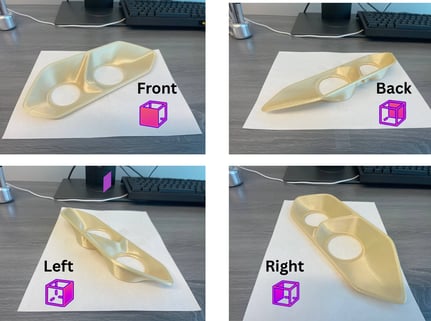 Example 4:
Rotating the part 90° clockwise
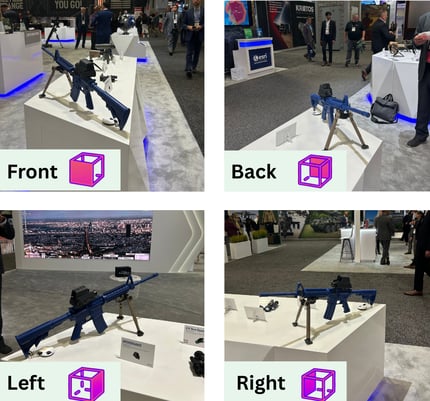 Example 5: Rotating the camera 90° counterclockwise
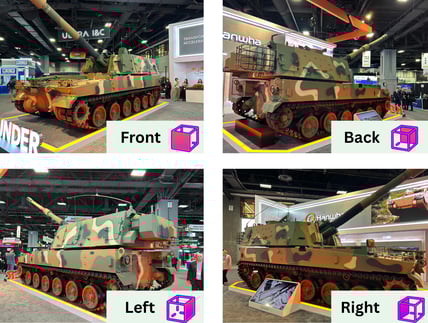
This approach especially works for larger vehicle such as the example below example
Example 6:
Rotating the camera 90° counterclockwise
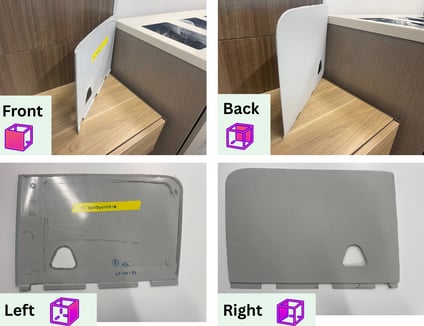
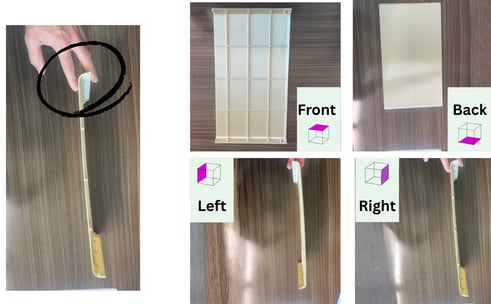
For thin parts: choose a tilt that shows the surface and thickness at the same time. If one side contains an important detail, start with that side facing the camera.
Example 7
Taking pictures from top
Sometimes the most informative “front” is a view from above (top). This is common for parts where the key features are on the top surface, or where a top view reveals the outline clearly. Select a top view as your “front”. Rotate the part 90° clockwise between each photo (or rotate the camera around the part while keeping the same height and angle).
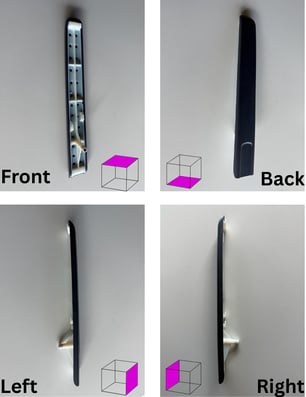
Example 8
Example 9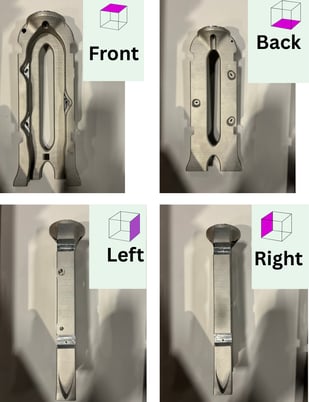
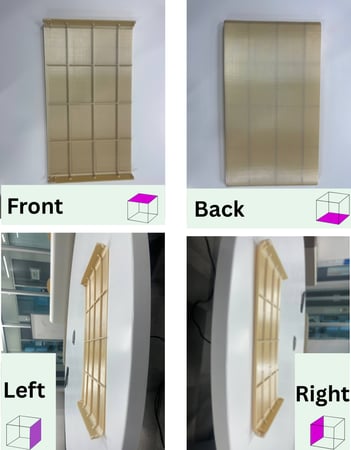 Example 10
If you must hold the part, use the smallest touch possible with your finger so it can be easily cropped out later