![3_Transparent_Image_footer.png]](https://novineer.com/hs-fs/hubfs/3_Transparent_Image_footer.png?height=32&name=3_Transparent_Image_footer.png)
The project bundle is the folder where NoviPath stores a project's intermediate and output files; click the project name link to open it. The *.noviproj manifest reopens the project. After a solve, displacement and stress fields are written as .vtp files that ParaView can open, and the labeled volume mesh is saved as labeled_solid.msh.
The NoviPath project bundle is the folder where NoviPath stores intermediate and output files for your project. Click the project name link to open that folder. It is the same location and folder name you specified when you created the project.
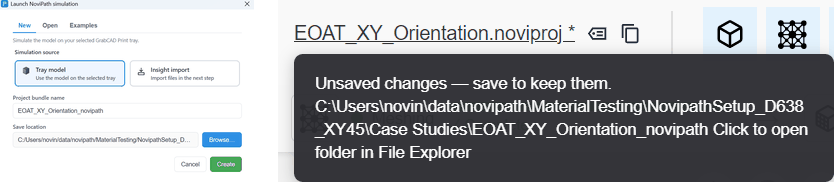
Project name and save location
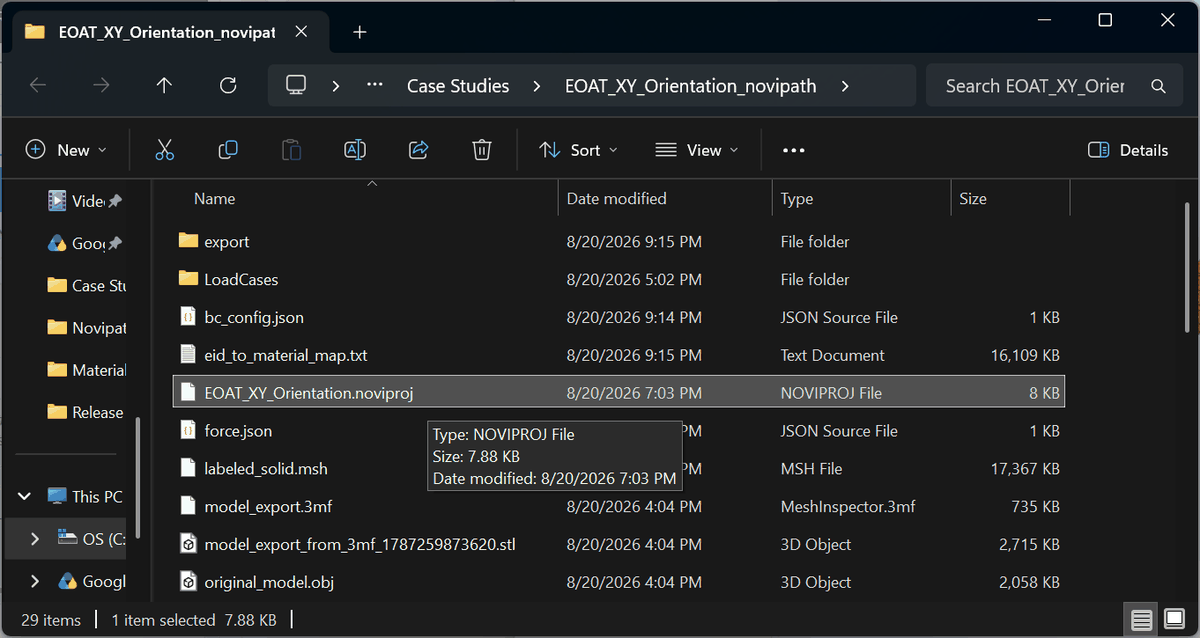
Project bundle structure and files
- *.noviproj — The project manifest. It records workflow status, file locations, and boundary conditions. Open an existing project by selecting this file. If it is missing, the project cannot be restored reliably.
- *.vtp — After a successful solve, visualization files are written to export_model. There is one file for displacements (simulation_model_Displacements.vtp) and one for stresses (simulation_model_Stresses.vtp). You can open these files in other software, including the open-source application ParaView. This is useful if the NoviPath license is unavailable or the GrabCAD plugin cannot display results.
- labeled_solid.msh — The volume mesh with boundary-condition labels. Compatible external tools such as Gmsh can open this format.