![3_Transparent_Image_footer.png]](https://novineer.com/hs-fs/hubfs/3_Transparent_Image_footer.png?height=32&name=3_Transparent_Image_footer.png)
All-zero results almost always mean an over-constrained model: the nodes that carry the load are also prevented from moving in the load direction. Check for a restraint on the loaded faces, or a load constraint that fixes the loaded degree of freedom. Use Face selection so NoviPath can catch the overlap for you.
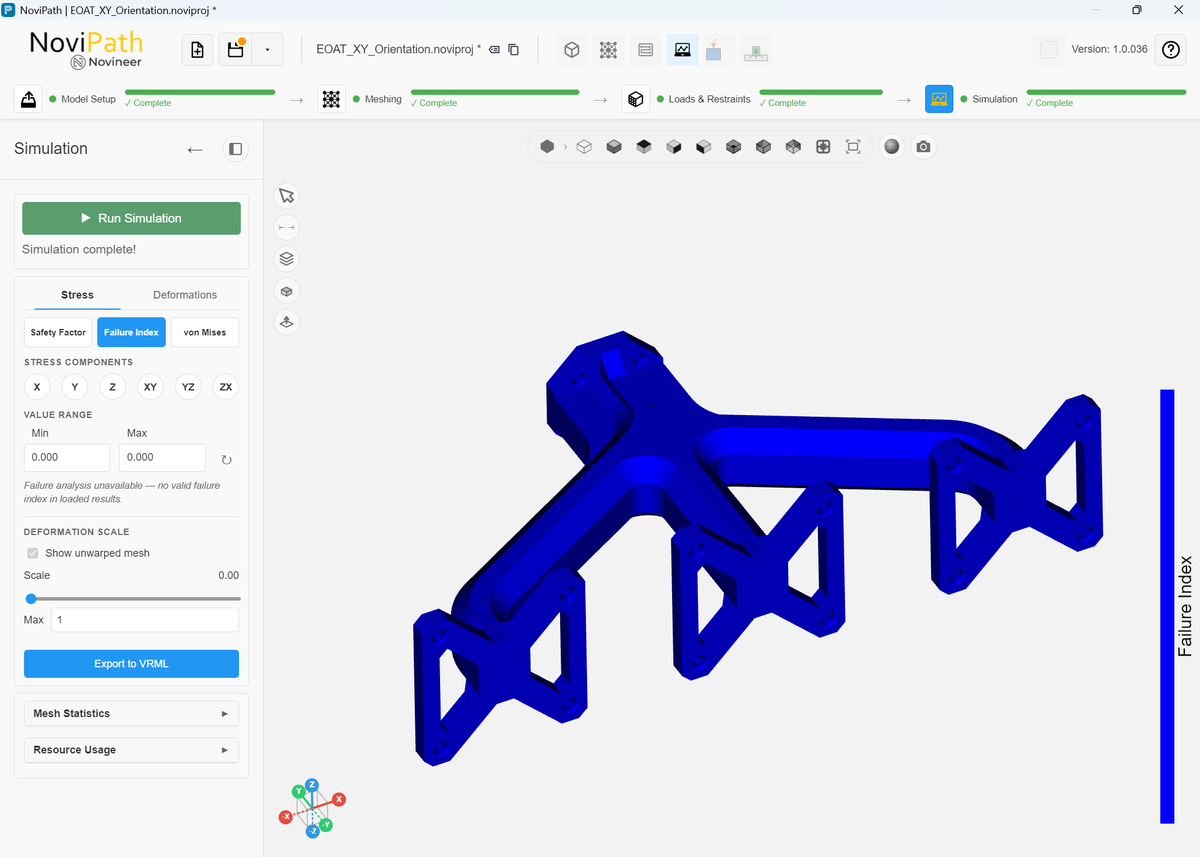
Over-constrained simulation model returns invalid results.
A common cause of all-zero (all-blue) results is an over-constrained setup: the nodes that carry the load are also fully prevented from moving in the load direction.
That usually happens when:
- a restraint is applied on the same faces (or overlapping shapes) as a load, or
- a load constraint freezes the same DOF you are trying to load (for example, fixing Y translation while applying Fy).
In such cases the loaded nodes cannot move, so the solver reports essentially zero displacement and zero stress.
Note: A load constraint is not always wrong. For fixtures such as an ASTM D7078 shear coupon (see the load constraints in Applying Force, Moment, or Pressure), constraining out-of-plane motion while leaving the load axis free is often correct, and that setup should not produce all-zero results.
Tip: Use Face selection when possible. NoviPath then prevents you from applying a restraint on a face that already has a load. In the example below, faces #115 and #127 already have Load 1 applied. If you try to add face #115 to a restraint, NoviPath rejects it. If the loaded region is physically constrained by a fixture, add that constraint as a load constraint on the load, not as a separate restraint on the same faces.
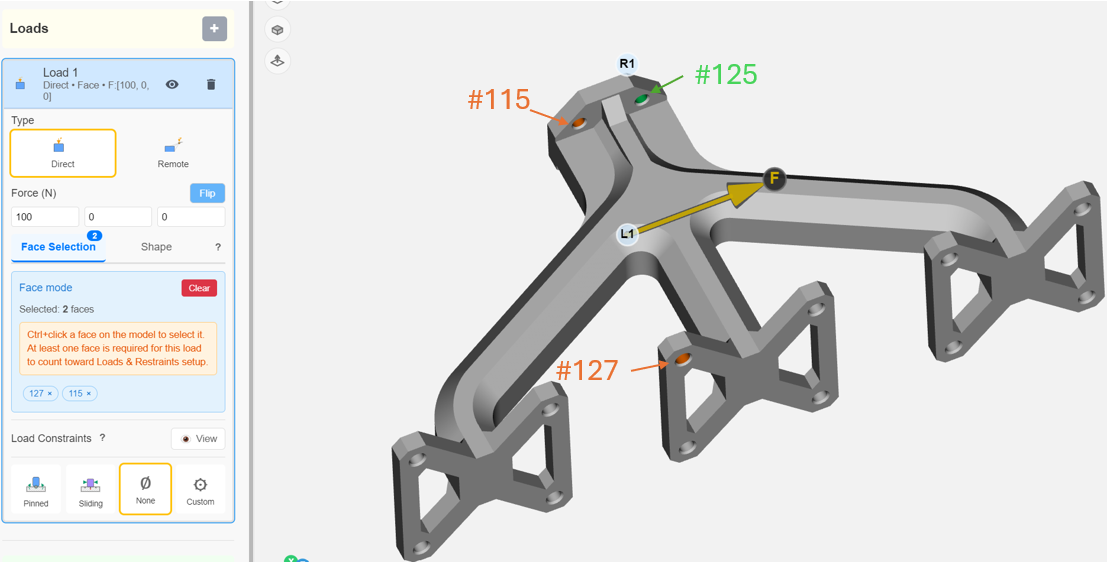
Face selection prevents loads and restraints from being applied to the same nodes, which avoids failed simulations from over-constrained models.