![3_Transparent_Image_footer.png]](https://novineer.com/hs-fs/hubfs/3_Transparent_Image_footer.png?height=32&name=3_Transparent_Image_footer.png)
Click the "?" button in the plugin window to start a Guided tour (plugin layout) or a Workflow tour (the steps to run a simulation). NoviPath also ships with example projects; open one and run the Workflow tour on it to see a complete setup.
While the NoviPath plugin window is open, you can start a Guided tour or a Workflow tour from inside the software. Click the “?” button to open them. Use the Guided tour to learn the plugin layout. Use the Workflow tour to see the sequence of steps required to run a simulation.
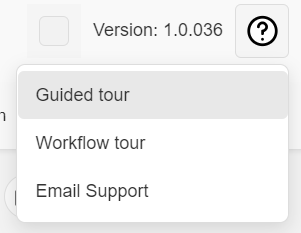
Product tours: Guided UI tour and Workflow tour
NoviPath also ships with a few example projects that you can open and use the Workflow tour with.
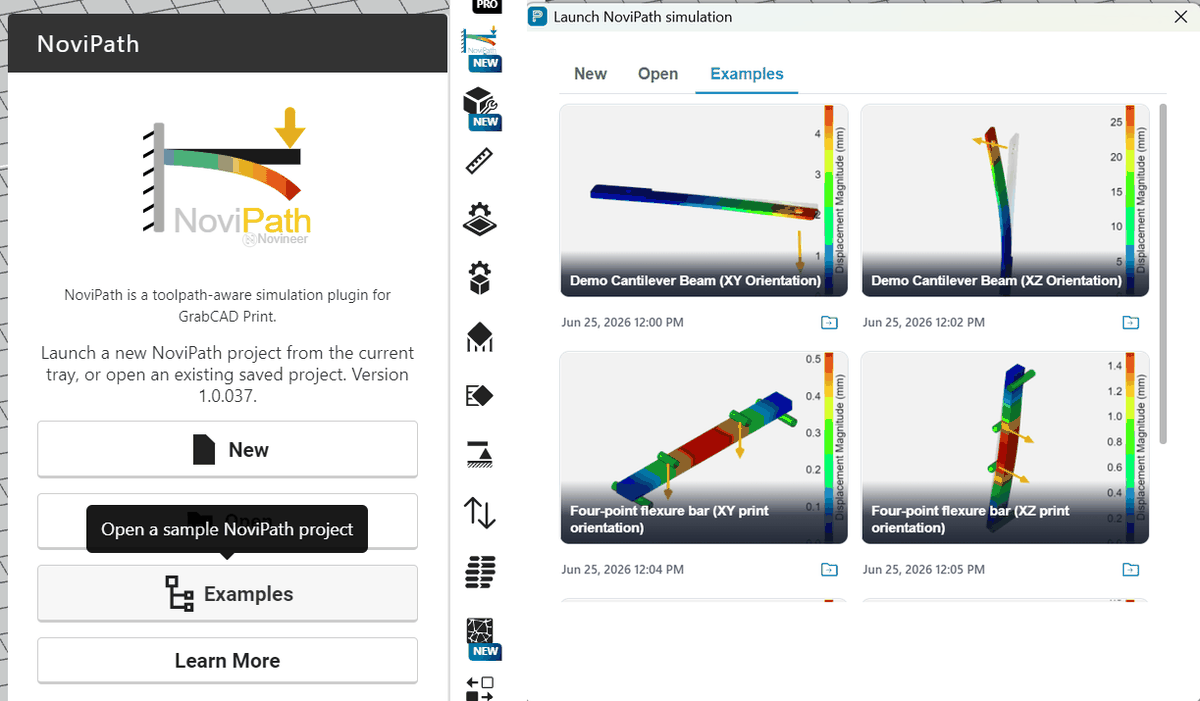
Example projects shipped with the plugin.
Click on one of the Examples in the dialog box. After the plugin Window opens, you will be taken to the Simulation tab for that example. Next click on the Help button (“?”), select Workflow tour and click Next to walk through the workflow.
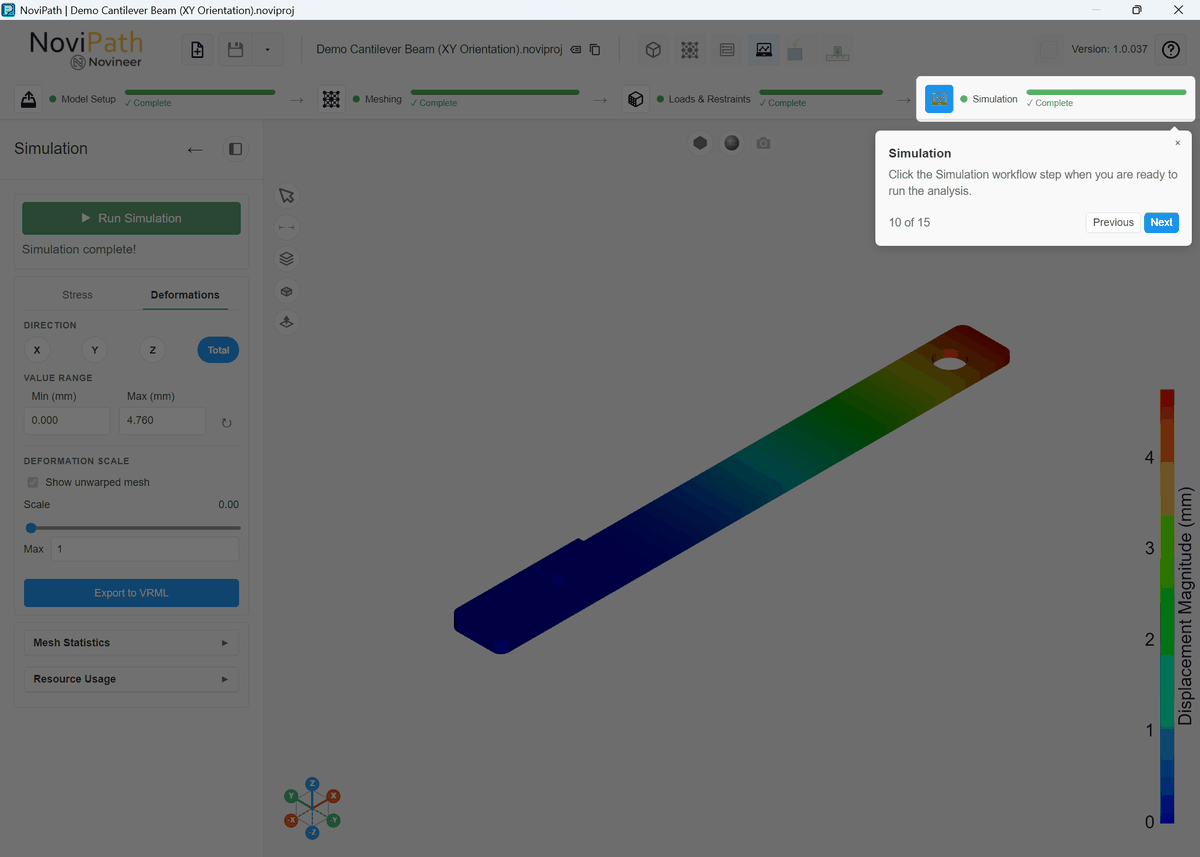
Workflow tour for example project.