![3_Transparent_Image_footer.png]](https://novineer.com/hs-fs/hubfs/3_Transparent_Image_footer.png?height=32&name=3_Transparent_Image_footer.png)
Use Force when you know a push or pull. Use Moment when you know a torque and do not want a net force. Use both when a connection carries force and moment. For a force acting at a location, select the Remote load type and enter the moment arm; the remote point is the centre about which the moment is applied. Moment fields are applied directly to the nodes, never as a moment arm.
Select the Remote load type and enter the moment arm in the input fields. The remote point is the center about which the moment or torque is applied.
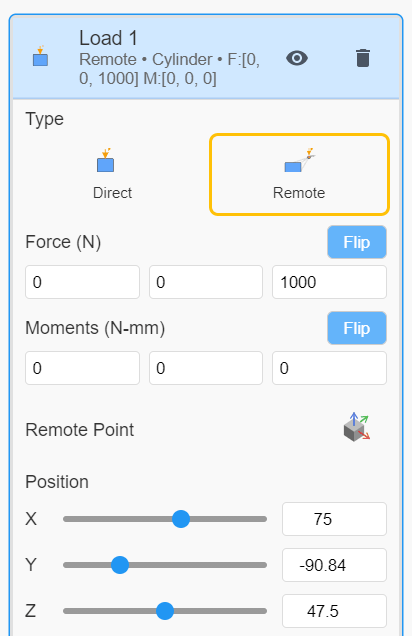
Applying loads and moments
When to use Force, Remote Force or Moment
Force: Use when you know a push or pull (weight, bolt load, actuator force, or a pressure resultant).
Moment: Use when you know a torque (motor torque, wrench, or twist about a joint) and do not want a net force.
Both: Use when the connection carries both a force and a moment (common at mounts, shafts, and fasteners).
Do not treat the Moment fields as a moment arm — those moments are applied directly to the finite-element nodes. If the load is a force acting at a location, use Force with a remote point.
All components are entered in the tray (global) X, Y, Z system; see Loads are defined in tray XYZ, not surface normal.